Collect a payment alongside the details you need
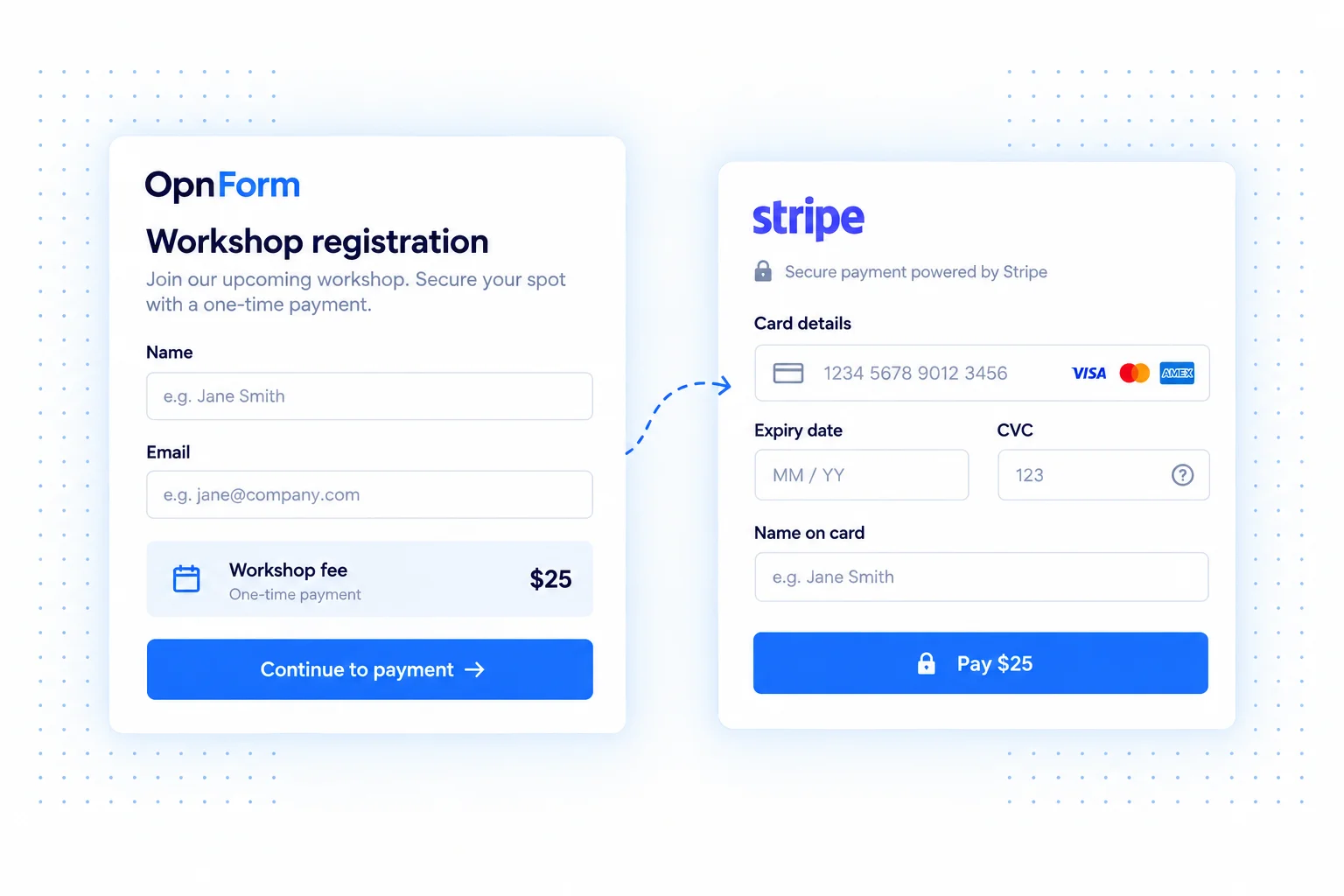
Add a payment field to an OpnForm form and connect a Stripe account to collect one-time payments with the rest of a submission. Gather a registrant's contact details, an order description, or a booking request in the same experience as the payment.
Configure the currency and amount in the payment field's options. OpnForm also provides settings for prefilling the name on the card and billing email from form answers, reducing repeated data entry.
Stripe payment form use cases
Charge for workshop registrations
Combine attendee details and session preferences with a registration fee. State what is included, the event date, and any cancellation terms before asking the respondent to pay.
Collect a booking deposit
Gather the requested date, service, and contact information with an upfront deposit. Explain whether a booking still needs manual confirmation so the payment does not create the wrong expectation.
Accept simple paid requests
Collect the details needed for a fixed-price service or a small order. Make the amount and currency clear, and use the form questions to gather the information needed to fulfill the request.
Add a Stripe payment field
- Open your form in the editor and add a Payment field.
- In its payment options, connect a Stripe account or select one already connected.
- Configure the currency and amount. Optionally use form answers for the cardholder name and billing email.
- Preview the complete experience and verify your payment configuration before sharing the form with customers.
Plan what happens after payment
Explain the service, fulfillment process, and refund terms in your form. Confirm the payment result in Stripe as part of your operational process, rather than treating an email notification as payment proof. Stripe account eligibility, processing fees, and payment availability depend on your Stripe setup.
Common questions
Do I configure Stripe in the notifications list?
Payments are configured through the form's Payment field and its connected Stripe account. This is separate from notification integrations such as email or Slack.
What kind of payments can I collect?
Use the payment field for one-time charges such as registration fees, deposits, and fixed-price requests. Set the amount and currency in the field options, and explain what the payment covers in your form.
Pair payment forms with email notifications for follow-up, or Google Sheets for a registration roster.